CME credits, organized automatically
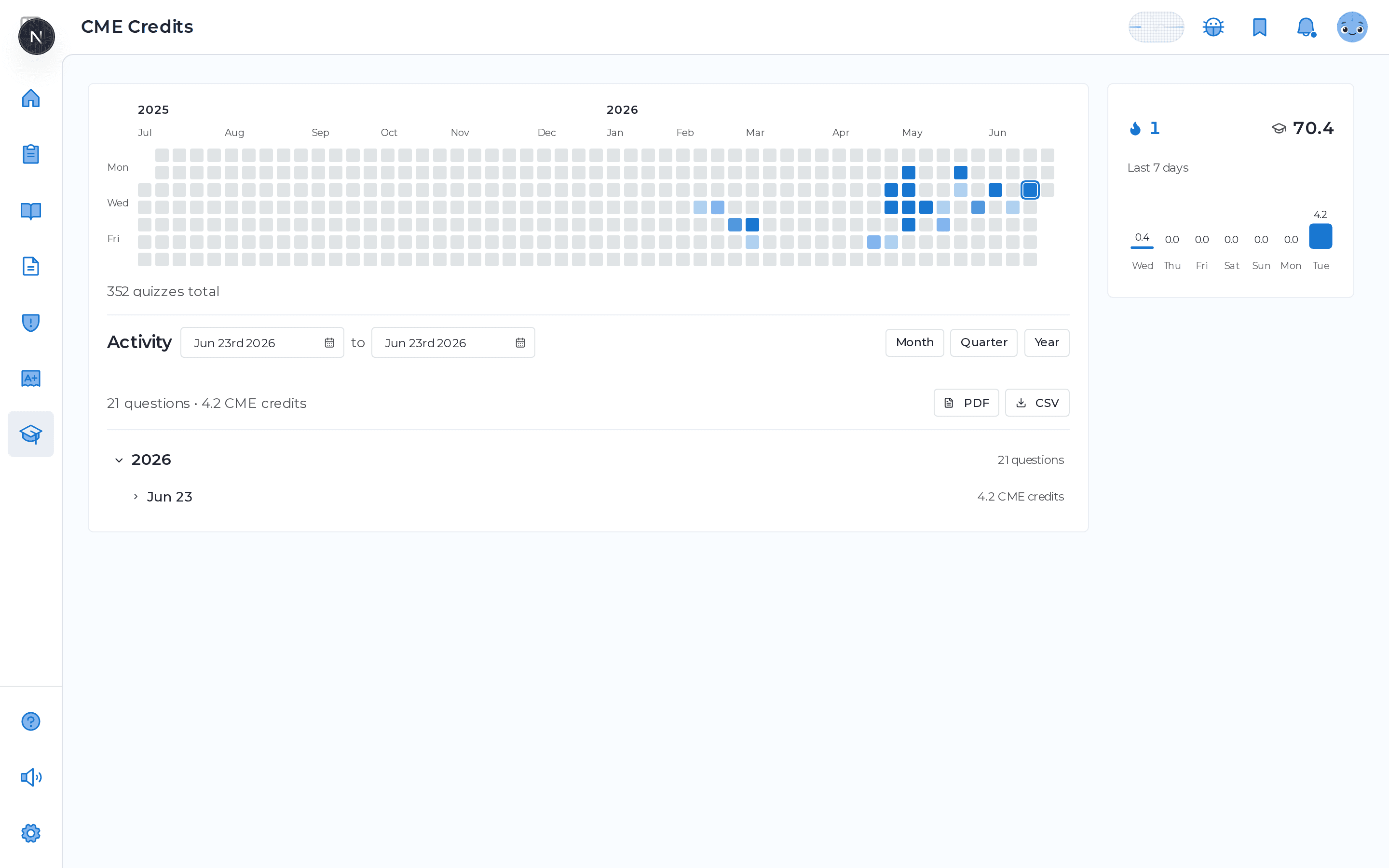
Every quiz you answer across MDProgress quietly adds to your CME record, so the credit accrues while you do the studying you came here for. A heatmap shows your activity by day, month, and year, with running totals, a streak, and your last 7 days at a glance. When it is time to report, you pick a range and export a clean Activity Report. No spreadsheet, no reconstructing where the credits came from.
Why it helps
Keeping up stops being a project
Stop logging credits by hand
Answer questions anywhere in MDProgress and the credit records itself at 0.2 per question. The ledger fills in while you read and quiz, not at the end of the year.
Always know where you stand
Totals by day, month, and year sit on one page with your current streak and your last 7 days, so your standing is a glance, not a calculation.
Report in a couple of clicks
Pick a month, quarter, or year and export an Activity Report as PDF or CSV. The document is ready to hand off whenever your body asks for it.
Trace every credit to its source
The activity log ties each credit back to the article or guideline question behind it, so the record holds up when someone wants to see the detail.
What it does
Everything in one place
Credits record themselves
Every answered question across MDProgress adds 0.2 credits to your record, no manual entry.
Heatmap and streak
See activity by day, month, and year with totals, a streak, and your last 7 days.
Export a report
Choose a month, quarter, year, or custom range and download a PDF or CSV Activity Report.
Tied to the source
Each entry links back to the article or guideline question it came from, with your answer.
Your year of credits, mapped out
This is the live activity heatmap, here on the page. Every square is a day you studied, building toward your running total, with your recent activity and streak alongside. When it is time to report, you pick a range and export a PDF or CSV Activity Report. MDProgress is not an accredited CME provider yet, so the report is built to support reporting the credits yourself wherever your licensing or certification body permits it.
Frequently asked questions
How do the credits add up?
Each question you answer in a quiz, anywhere in MDProgress, records 0.2 credits to your CME record. The total builds automatically as you go, with no manual logging.
Is MDProgress an accredited CME provider?
Not yet. MDProgress tracks your activity and produces an Activity Report built to support reporting the credits yourself, wherever your licensing or certification body permits it. We are honest about this rather than implying accreditation we do not have.
What can I export, and in what format?
You select a date range (a month, quarter, year, or a custom window) and export a CME Activity Report as a PDF or a CSV. Both include your totals and the detailed activity for the period.
Can I see exactly which questions earned each credit?
Yes. The activity log groups your credits by year and day, and every entry ties back to the source article or guideline question, along with the answer you gave, so the detail is always there.
See it in your own specialty
Set up your specialty and scope in a couple of minutes and MDProgress starts fitting the way you practice. Your first month is free, with no payment today.