Discover articles worth reading
MDProgress gives you a personalized feed of recent journal articles, matched to your specialty, your scope of practice, the journals you follow, and the goals you set. The reading finds you, so keeping current stops being a chore you have to schedule.
Why it helps
Keeping up stops being a project
Stop checking five places
PubMed, journal alerts, and the society emails you stopped opening all collapse into one feed worth opening.
See what is actually new
Recent articles surface first, weighted to your specialty and scope, so you read current literature instead of a decade of backlog.
Read on the time you already have
A few articles between patients or with morning coffee. The feed fits the gaps in your day rather than asking for an evening.
Turn reading into credit
Quiz yourself on any article and the CME records itself, so keeping up and staying on top of credits become one habit.
What it does
Everything in one place
Matched to your practice
Your specialty, subspecialty, scope, and followed journals shape every article you see.
Recent by default
New articles surface first, so you see what changed this month, not a decade ago.
Save for later
Bookmark anything worth a second look and find it again in your library.
Quiz as you read
Turn any article into a few questions, and the CME credit logs itself.
The feed, right on the page
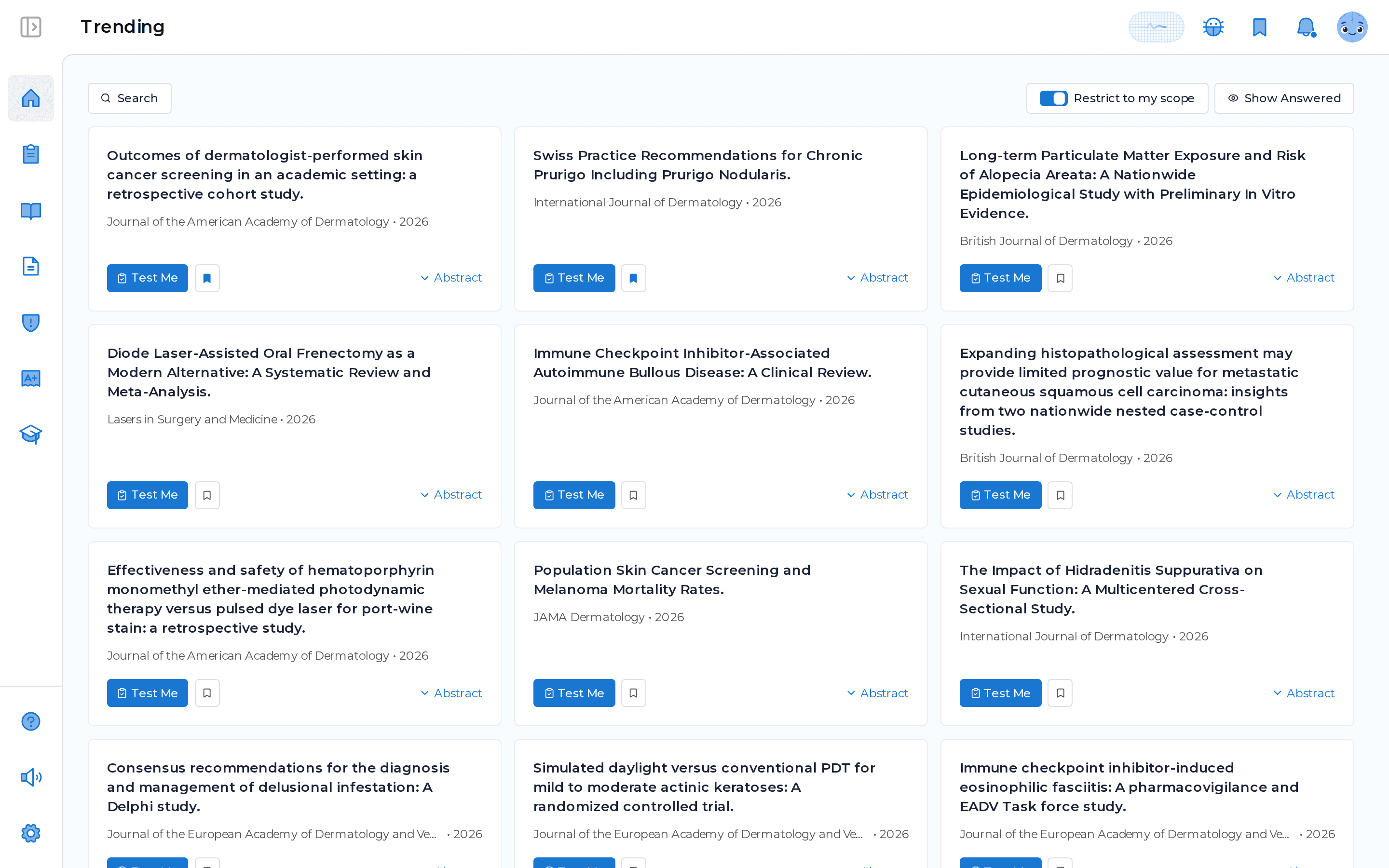
This is the real feed component, not a picture of it. Each card shows the title and the journal, expands to the abstract, and is one tap from a quiz, so reading and studying live in the same place.
Frequently asked questions
How does MDProgress decide what to show me?
Your feed is built from your specialty, scope of practice, the journals you follow, and the goals you set during onboarding, weighted toward recent articles. You can adjust any of these anytime and the feed updates.
Which journals does the feed cover?
MDProgress draws from a large corpus of journals across specialties. You choose the ones you want to follow, and you can add or remove journals whenever your focus changes.
Can I narrow the feed to my exact scope?
Yes. You can restrict the feed to your scope of practice, or open it wider to see more across your field. The control sits right on the feed.
Do I earn CME from the feed?
When you turn an article into a quiz and answer the questions, the activity is recorded toward your CME record automatically. MDProgress is not an accredited provider yet, and the Activity Report is built to support reporting where your licensing or certification body permits it.
See it in your own specialty
Set up your specialty and scope in a couple of minutes and MDProgress starts fitting the way you practice. Your first month is free, with no payment today.